

OUR PRODUCTS

Overview
JUSTICEVISION™ is a comprehensive solution built on the robust and scalable Microsoft Dynamics 365 platform. The solution fully addresses facets of a prosecutor's office. DVG approaches Dynamics 365 projects with a Configuration First strategy. Configuration modifications can be achieved more quickly than custom code. At times, custom code must be used to achieve functionality. This should be an exception, not the rule. A Configuration First strategy increases application stability and performance and lowers the total cost of ownership.
JUSTICEVISION™ provides various advantages such as wide-ranging security, superior performance, accessibility from anywhere and on any device, and flexibility to configure and customize the solution to meet any current or future needs. JUSTICEVISION™ integrates with other Microsoft products such as Office 365, the Microsoft Office suite of apps, and Microsoft Azure Active Directory (AAD) for identity and authentication management. JUSTICEVISION™ takes full advantage of the Dynamics 365 platform; thus, scalability to thousands of users is supported.
JUSTICEVISION™ for Prosecuting Attorney offices supports the entire business cycle of prosecutions from complaints through sentencing and appeal. It enables the management of cases, defendants, restitution paid, witnesses, experts, appeals, and sentencing. The solution auto-generates relevant documents such as a request for warrants, accusatory instruments, and communication with other agencies and related parties, including police departments, courts, defense attorneys, external Crime Scene Units, and labs processing evidence. The solution has built-in reporting, views, and dashboards. There are several additional capabilities not stated here that will be referenced throughout this document.
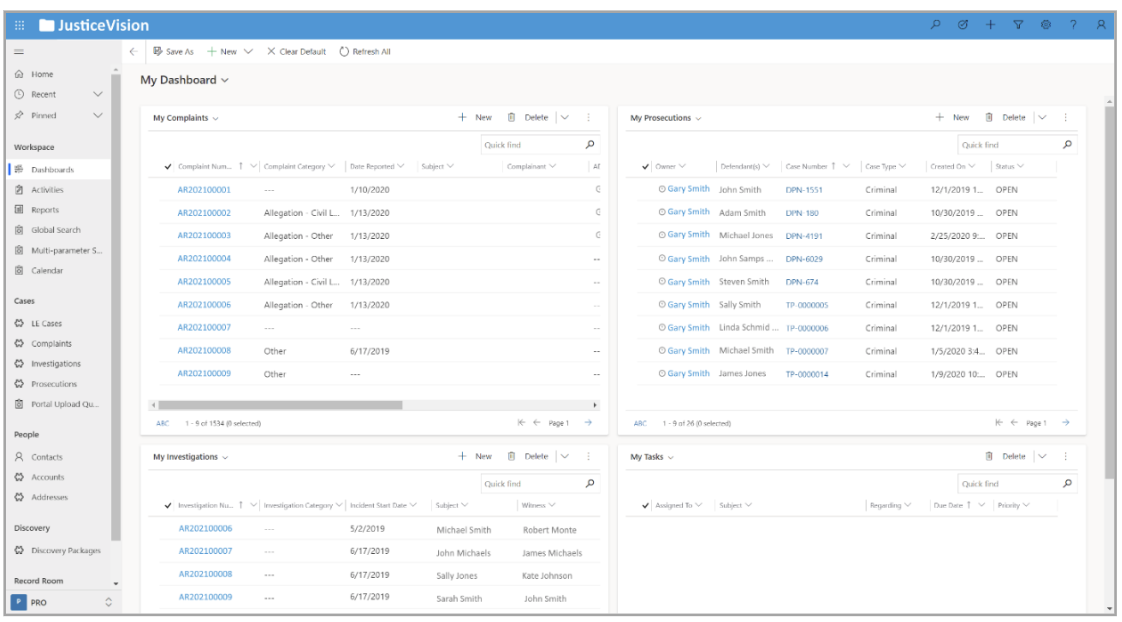
JUSTICEVISION™ has three main workflows, which reflect the distinct stages that a legal case may be in:
Complaints
Investigations
Prosecutions
In each of these flows, the system allows the user to create a new case, add relevant details, upload supporting documentation in the form of text or multimedia files, and input all individuals involved - suspects, witnesses, and other related internal and external parties.
JUSTICEVISION™ has more than 40 reports and 50 document templates, various views, and dashboards. All items may be modified to address specific requirements. Reports and dashboards are available through native Dynamics 365 functionality or Power BI.
Complaints
JUSTICEVISION™ includes a module that allows a user to create a complaint. This can be used as an Intake process. Our application supports the creation of five types of complaints.
General Complaints: The office may receive what is termed a "complaint." If a complainant walks into a prosecutor's facility, they most commonly complete a designated complaint form. Complaints may also be received via telephone, email, or letter. In these cases, a system user will enter complaint details into the system if necessary. Complaints can be referred for investigation, review, and determination.
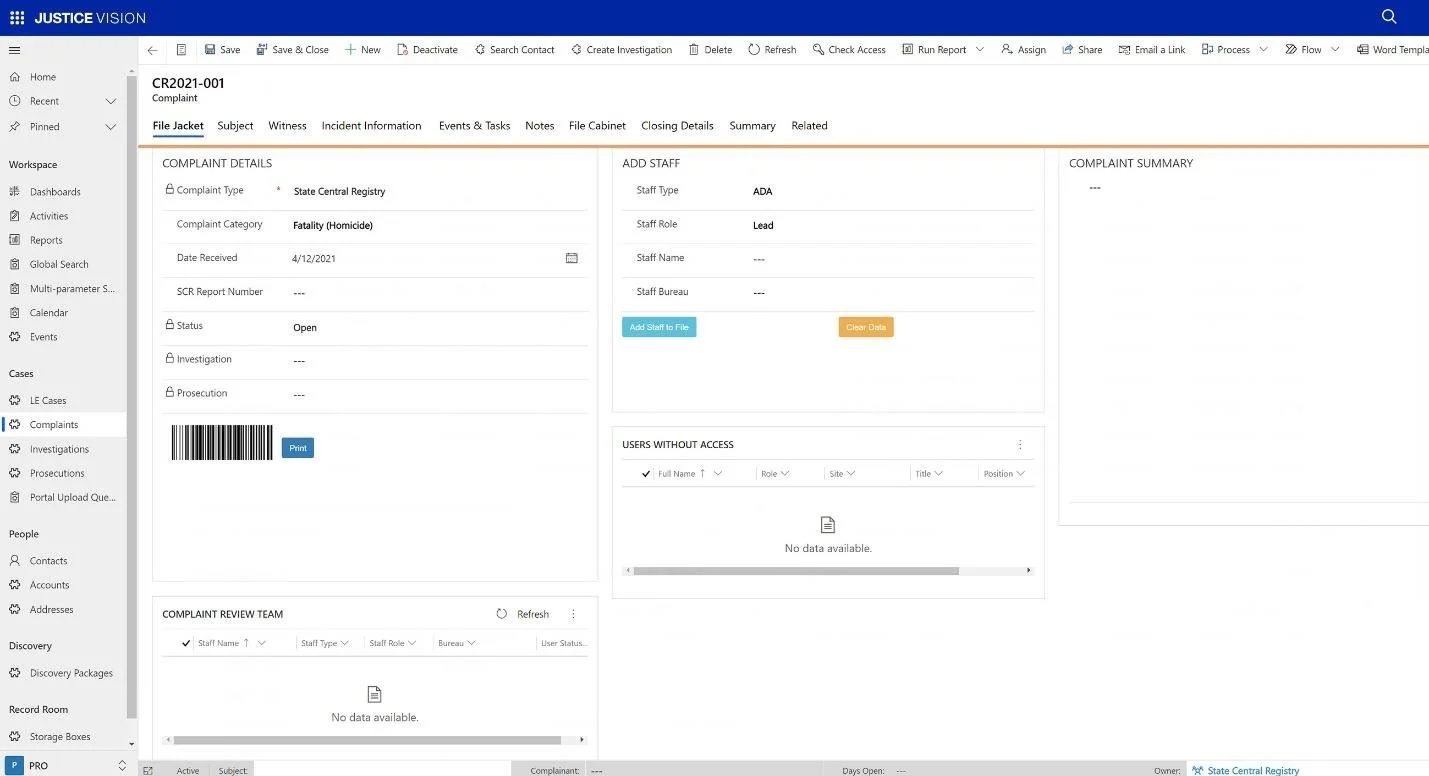
Figure 1 Complaint Home Page
Public Integrity Complaints: If a complaint, as described above, is made in connection with an attorney or a public employee, it can be referred to a Prosecutor's Bureau that deals with such cases. Our solution employs strict security to ensure authorized persons only view such cases.
Special Criminal Referrals: Our application supports the ability to classify exceptional cases, such as Child Protective Services criminal referrals. Complaints can be opened and referred for investigation by specialized personnel.
CODIS Notifications: JUSTICEVISION™ includes functionality to track incoming notifications from County Laboratories when the Combined DNA Index System, or CODIS, identifies an individual from a DNA profile submitted by the lab. These notifications can be assigned for follow-up.
Witness Information Reports: In some jurisdictions, prosecutors may be required to turn over information that may impeach a witness's credibility. As the knowledge of one prosecutor is attributed to all prosecutors, such information can be organized in JUSTICEVISION™ as a Witness Information Report or another title based on requirements.
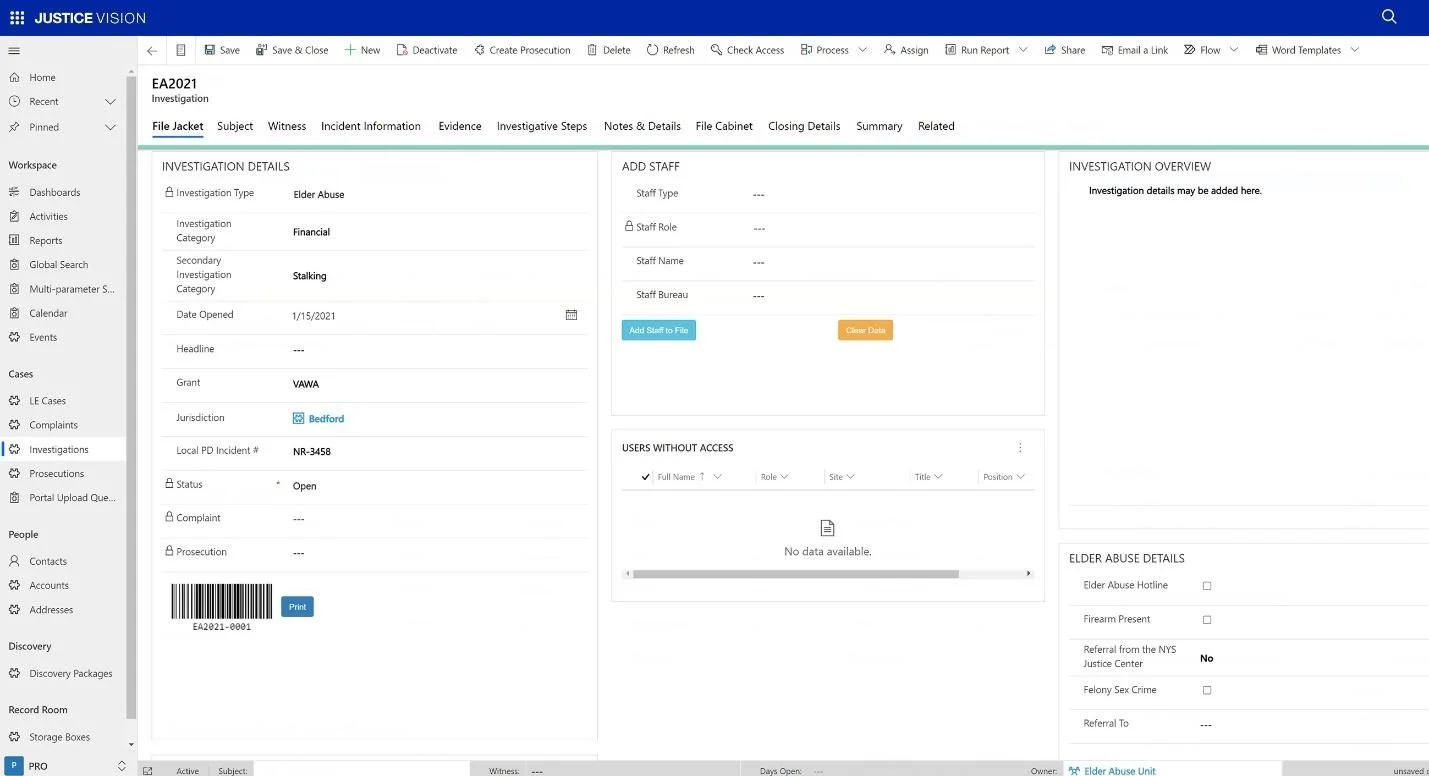
Figure 1 Investigation Home Page
Investigations
JUSTICEVISION™ comes pre-configured with twenty-five distinct types of investigations across four divisions. Additional types or divisions can be added, or existing ones modified.
Investigations Division: Animal Cruelty, Auto Crime, Economic Crime, Environmental Crime, Firearms, Gang, High Technology, Identity Theft, Motor Vehicle Insurance Fraud, Narcotics, Organized Crime, Pattern Crime, Public Integrity, and Tax related.
Local Criminal Court and Grand Jury Division: Grand Jury
Special Prosecutions Division: Child Abuse, Domestic Violence, Elder Abuse
Superior Court Trial Division: Arson, Career Criminal, Homicide, Major Case, Narcotics & Firearms, Sex Crime, Vehicular Crime
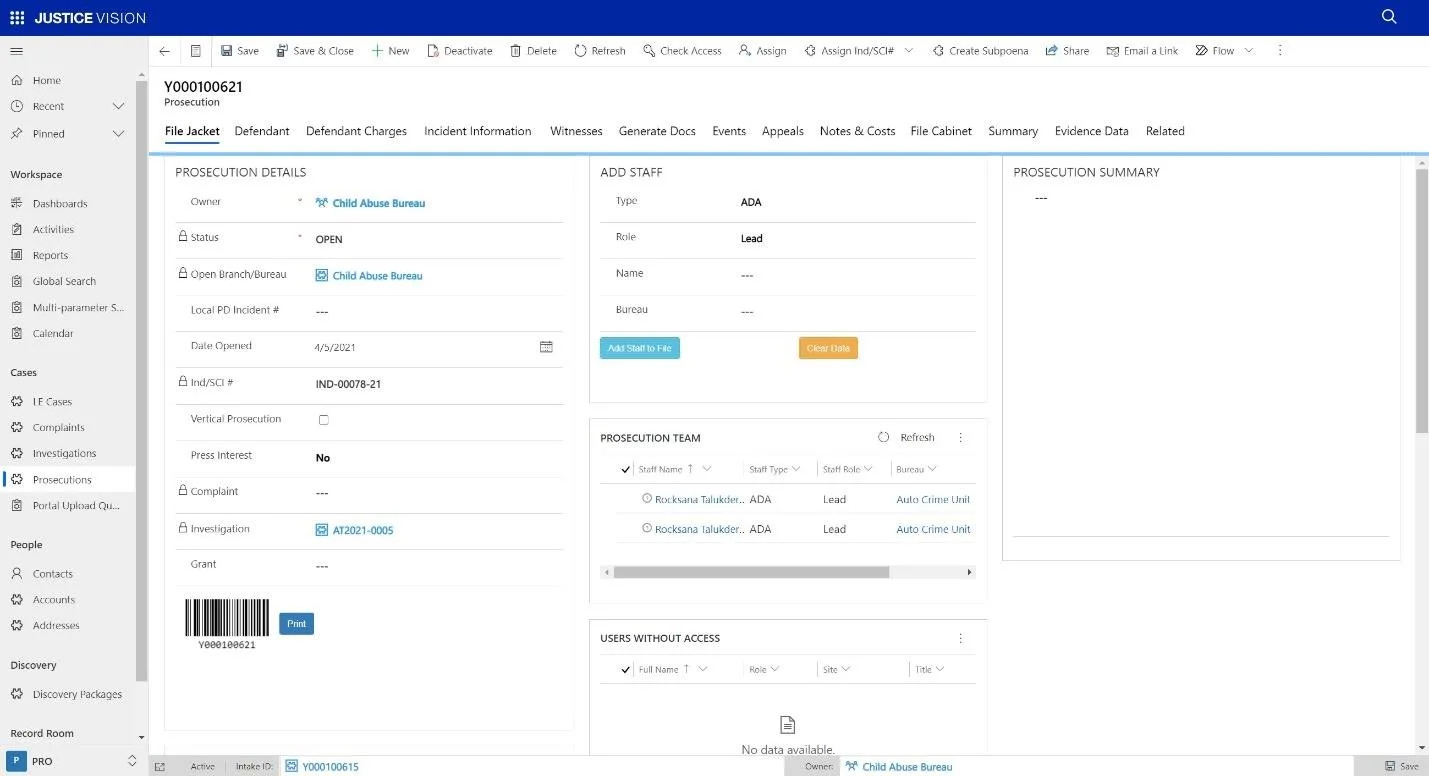
Figure 1 Prosecution Home Page
Prosecutions
JUSTICEVISION™ comes pre-configured to enable the creation of Local Court Prosecutions, Superior Court Prosecutions, and Miscellaneous Prosecutions. Below is a screenshot from training materials developed by DVG. This information illustrates aspects of the module that are also seen across JUSTICEVISION™.
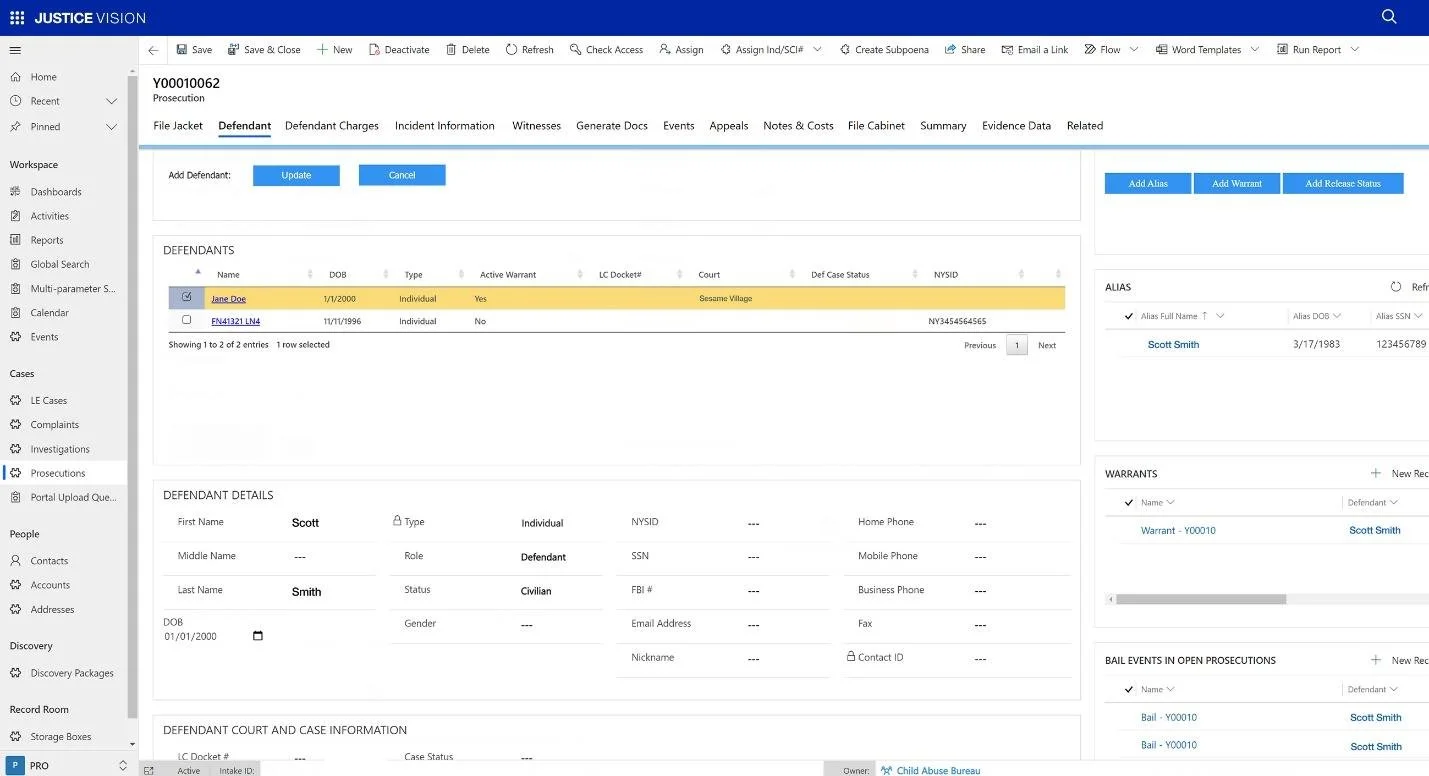
Figure 1 Defendant Profile Example
Defendant Profile
Defendant information is collected throughout the application when entering Complaints, Investigations, or Prosecutions. This information is stored in the application to enable users to conduct a Soundex search and select a person as a defendant. If the search returns no results, the user can then add the defendant and related details.
The application includes Defendant reports that detail a person’s history with the user’s agency. The history includes but is not limited to prior prosecutions, complaints, investigations, warrants, and Orders of Protection.
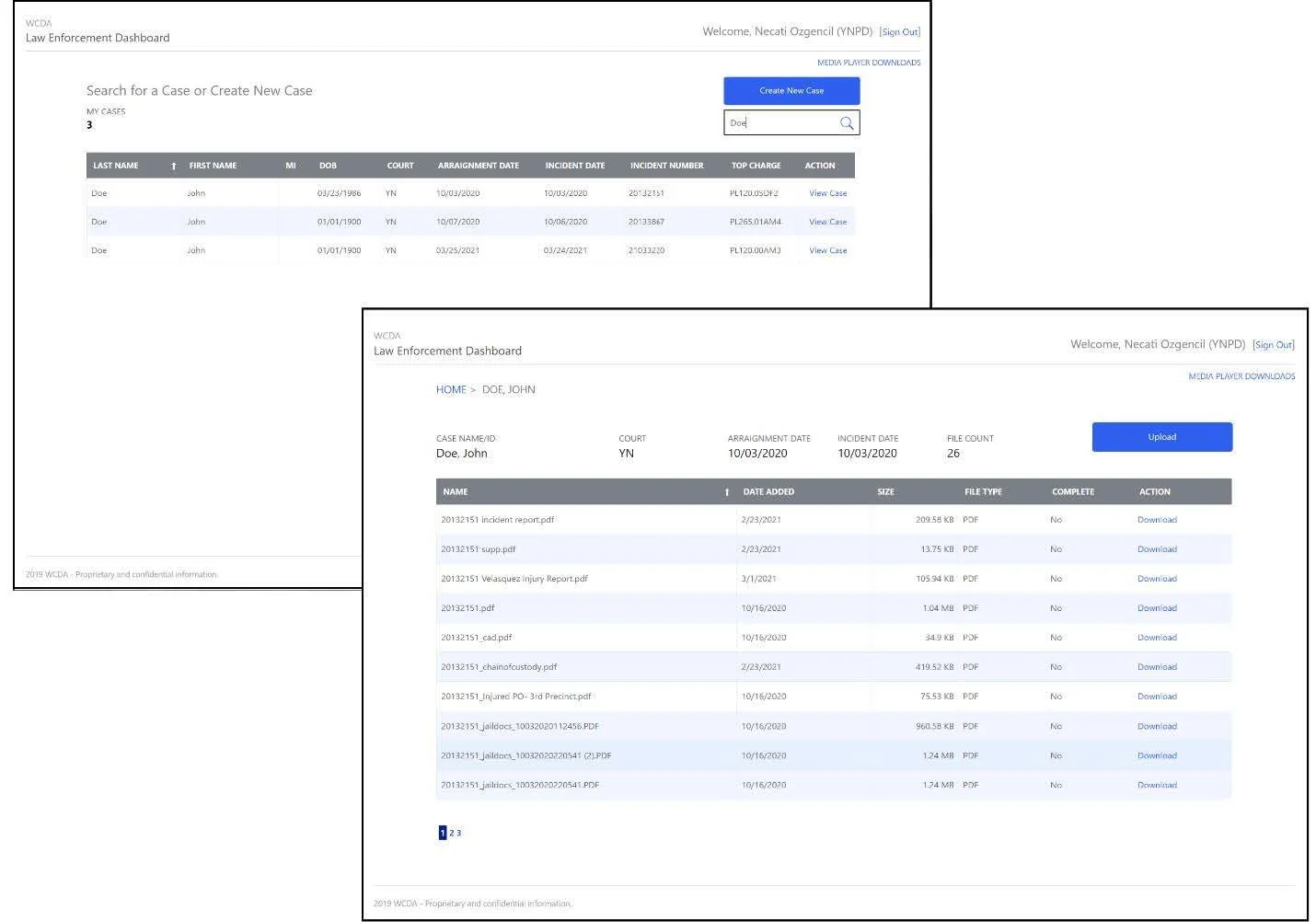
Figure 2 Law Enforcement Portal
Law Enforcement Portal
The JUSTICEVISION™ System enables Law enforcement personnel to sign into the Law Enforcement Portal and create a case using a simple-to-use form that guides them through the process.
Law enforcement personnel upload reports, photos, videos, and other case-related files by dragging/dropping or selecting using the file picker.
Law enforcement personnel can sign in later to quickly add additional files to an existing case.
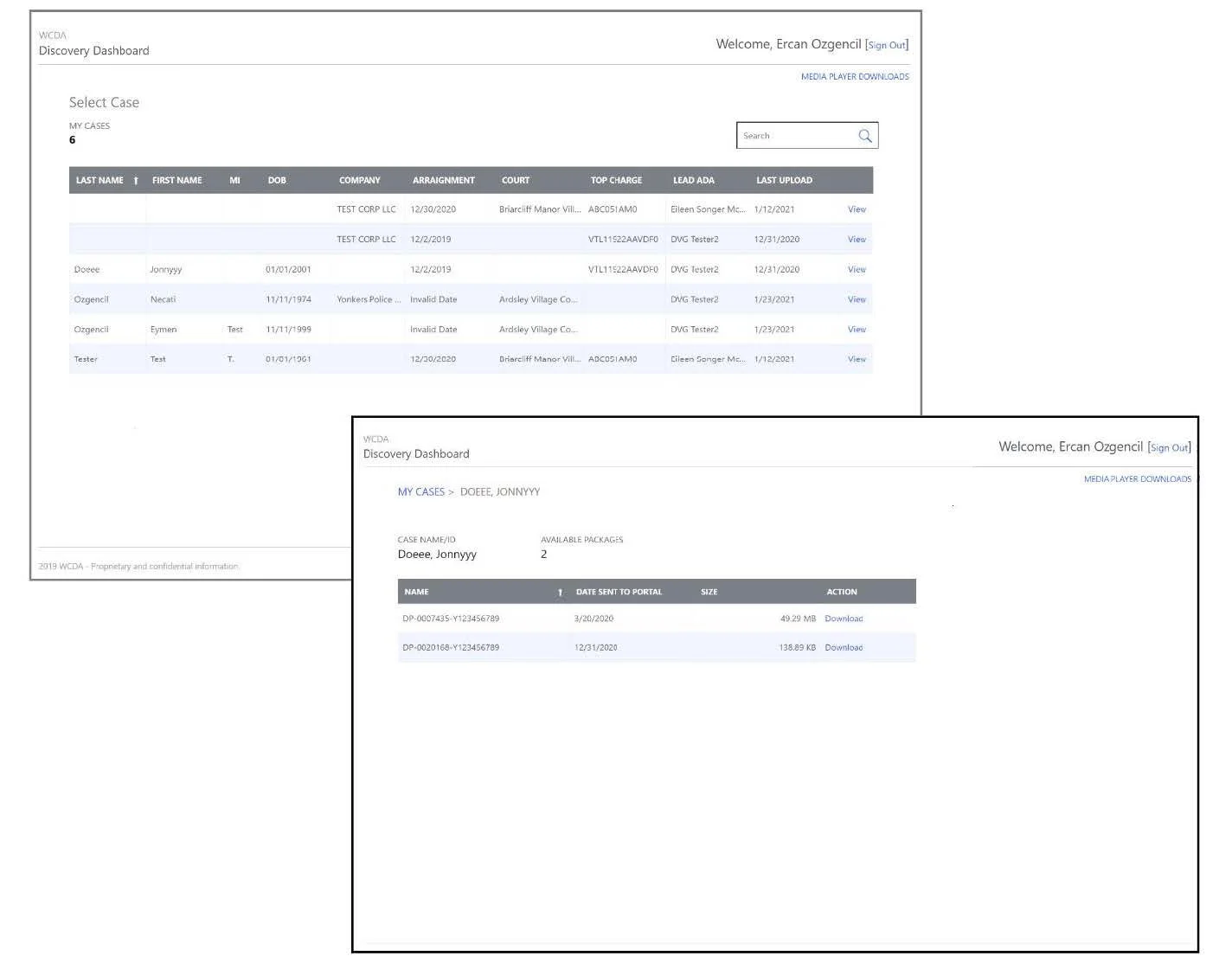
Figure 3 Defense Attorney Portal
Defense Attorney Panel
JUSTICEVISION™ enables Defense attorneys to receive an email notification whenever a new discovery package is available to download. Defense attorneys sign into the Defense Attorney Portal by simply clicking the link in the email notification. Defense attorneys download their client’s discovery package by clicking the package from a list of available packages in their queue.
Reports
JUSTICEVISION™ includes nearly 100 reports that visualize data such as court case counts, performance metrics of line attorneys, and defendant history. We have thoughtfully created reports that align with the business reporting needs of a prosecutor’s office. These reports were created in collaboration with prosecutors, investigators, and executive prosecutor staff.